Read a bill's page: stages, summary, actions and votes
On this page
A bill's page tells the whole story of one bill or resolution in one place: how far it has got, who sponsored it and who joined them, a plain-language summary, every action taken on it, every roll-call vote and the coverage that names it.
Open a bill from the Bills page, by typing its number in the search box, or from a member's page, a vote page or a committee page.
#The top of the page
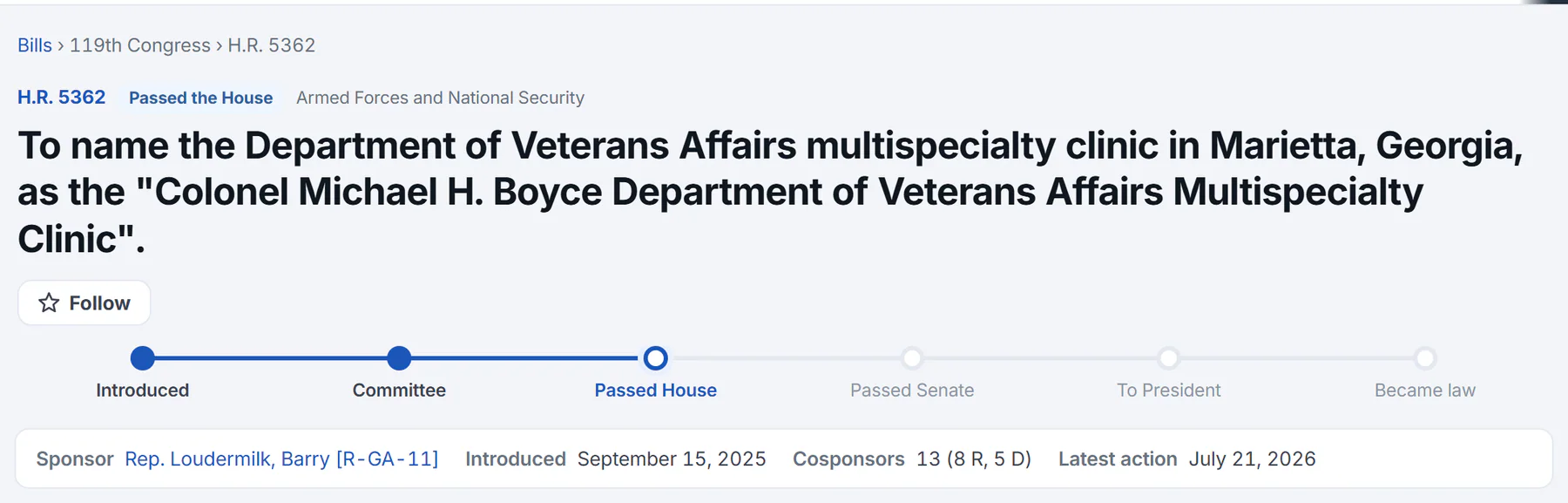
The top of a bill's page. This bill has passed the House, so the tracker is filled in through Passed House.
- 1Where the bill stands now
- 2Follow the bill
- 3The stages, with the ones reached filled in
- 4Sponsor, dates and cosponsors by party
Under the breadcrumb you see:
- The bill's number, such as H.R. 5362, a label for where it stands, and its policy area. For a law the label also gives the Public Law number, for example Became law · Public Law 119-12. The policy area links to the Bills page filtered to that area.
- The title. When a bill has a short, popular title, that is the heading and the official title appears beneath it.
- A Follow button. See Follow what matters to you.
- The progress tracker: a row of stages with the ones reached filled in and the latest one ringed.
- A bar with the Sponsor, the date it was Introduced, the number of Cosponsors with the count from each party, and the date of the Latest action.
#What the stages mean
| Stage | What it means |
|---|---|
| Introduced | A member put the bill forward and it was given a number. Every bill starts here, and its status stays Introduced while a committee has it. |
| Committee | A committee has reported the bill back to the full chamber. The tracker also fills in this stage for a bill that has gone on to pass a chamber. |
| Passed House or Passed Senate | The chamber voted to pass the bill. The chamber where the bill started comes first. |
| To President | Both chambers have passed the bill and it has been presented to the President. |
| Became law | The bill is now law and has a Public Law number. If the President vetoed it, this last stage reads Vetoed. |
#Bill types
The prefix in a bill's number tells you its kind, and the kind decides which stages it has.
| Number | Kind | How far it goes |
|---|---|---|
| H.R. and S. | A bill | Both chambers pass it, and it goes to the President. |
| H.J.Res. and S.J.Res. | A joint resolution | Handled like a bill: both chambers, then the President. |
| H.Con.Res. and S.Con.Res. | A concurrent resolution | Both chambers, but it does not go to the President. The tracker stops after the second chamber. |
| H.Res. and S.Res. | A simple resolution | One chamber only. The tracker ends at Agreed to in House or Agreed to in Senate. These are often used for a chamber's own business or to mark a day or a week. |
H means the House and S the Senate. A bill's number starts again at 1 in each Congress.
#Summary, votes and actions
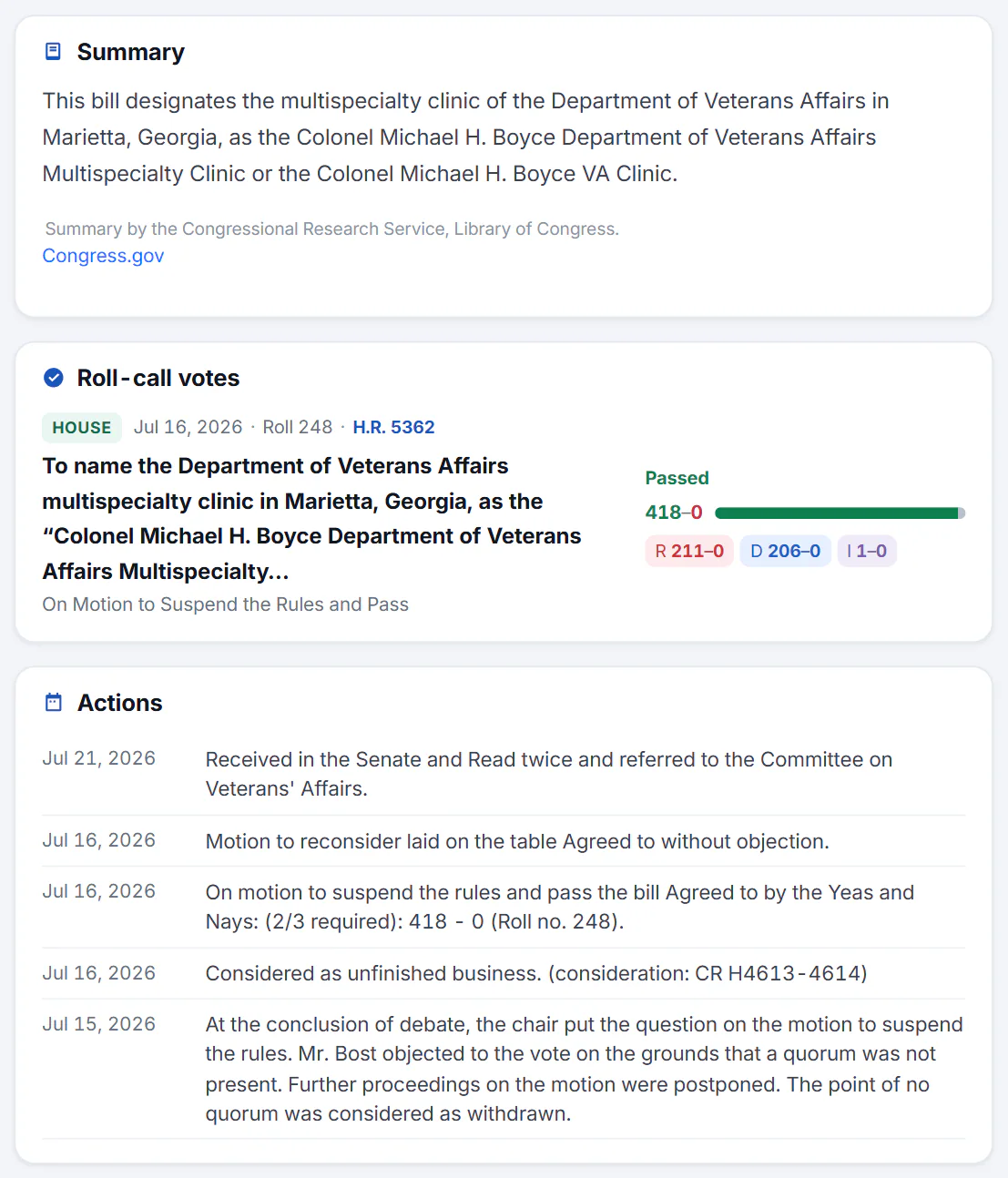
The main column: the summary, the roll-call votes on the bill and its actions.
- 1A plain-language summary
- 2Roll-call votes on this bill
- 3Every action, newest first
- Summary is written by the Congressional Research Service at the Library of Congress, and the page says so. A long summary is shortened, with a Read the full summary button. Under it, Read the text opens the bill's text where one is available, and Congress.gov opens the official page. A new bill may show a note that no summary has been published yet.
- Roll-call votes lists the votes taken on the bill, each with its result, tally and party split. Select one to open the vote page.
- Actions is the bill's history, newest first: introduced, referred to a committee, debated, voted on, sent to the President. The page shows the latest twelve; Show all reveals the rest.
#The side column
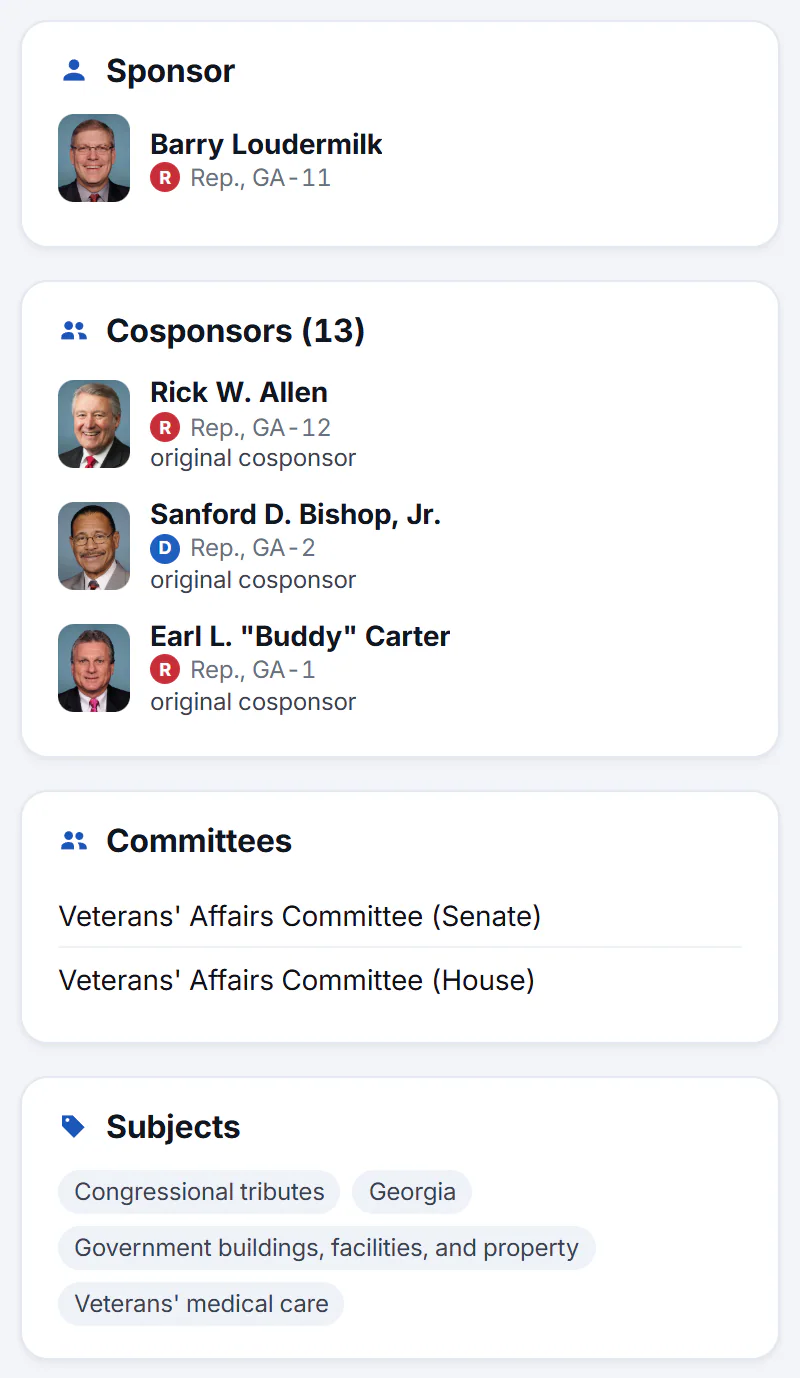
The side column: the sponsor, the cosponsors and when each joined, the committees and the subjects.
- 1The sponsor
- 2Cosponsors, and when each joined
- Prediction markets appears when there is a market on the bill.
- Sponsor is the member who introduced the bill. Select the name to open their page.
- Cosponsors lists the members who added their name, each marked original cosponsor or with the date they joined. A member who later withdrew shows the date they withdrew and is left out of the count.
- In the news lists recent headlines found by matching the bill's number and title.
- Committees names the committees the bill was referred to.
- Related bills lists companion and related bills. A bill from this Congress is a link; one from an earlier Congress is named but has no page here.
- Subjects are tags from the Library of Congress. Select one to search the Bills page for it.
The page may also show an AI Briefing, a short summary written from the page's records.
#Common questions
Does "Became law" mean the President signed it?
It means the record shows the bill became a Public Law. The Actions list shows the steps, such as Signed by President.
Why are there two bills with the same name?
A bill is often introduced in both the House and the Senate, each with its own number. The Related bills card lists the companions the Library of Congress has linked.
Why is there no summary?
The Congressional Research Service writes summaries after a bill is introduced, and one can take weeks to appear. Until it is published, the page says so.
Why do some headlines under In the news look unrelated?
Headlines are found by matching the bill's number and title. A short number can match something else, such as a score or a price. Open the story to check before relying on it.
What does the date next to Latest action mean?
It is the date of the newest entry in the bill's Actions list.